Environment Scan: Using Vision AI for Situational Awareness
HAVEN Pro's Environment Scan uses on-device vision AI to analyze your surroundings. Learn how this powerful tool identifies hazards, water cues, and shelter opportunities.

In a survival situation, your most important tool is your eyes. But even the most experienced survivalist can miss subtle cues in a new environment. That's why we developed the Environment Scan for HAVEN Pro.
What is Environment Scan?
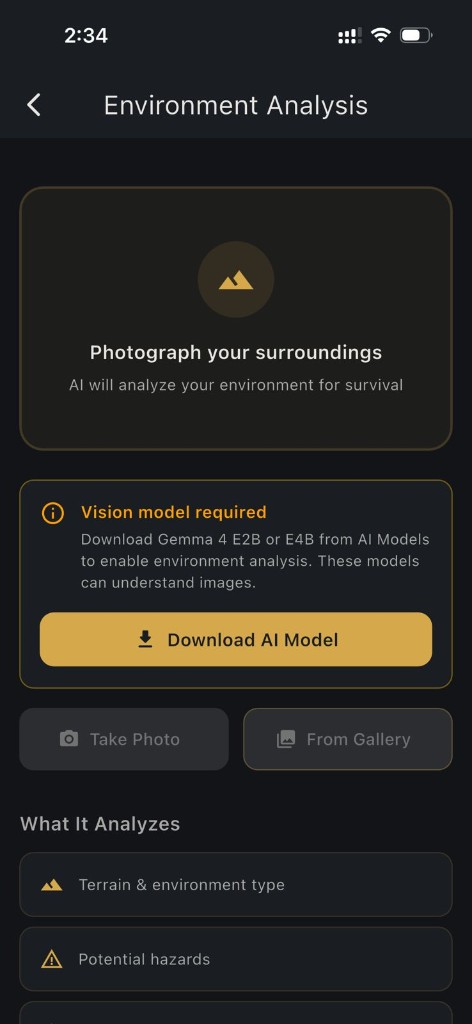
Environment Scan is an on-device vision AI tool. By taking a photo of your surroundings, HAVEN analyzes the image to provide a "Survival Priority Report." It identifies:
- Water Cues: Vegetation patterns or terrain features that suggest water.
- Shelter Opportunities: Natural formations or materials suitable for building a shelter.
- Hazards: Potential risks like loose rock, flooding signs, or dangerous terrain.
- Tactical Context: Defensible positions and observation points.
Why On-Device Matters
Most vision AI requires a connection to a powerful server in the cloud. HAVEN's vision AI runs entirely on your phone's processor. This is critical for three reasons:
1. No Signal Needed: It works in the deepest wilderness or during a total grid collapse.
2. Privacy: Your photos are never sent to a server. What you see stays on your device.
3. Speed: Get an analysis in seconds, right when you need it.
How to Use It Effectively
1. Scan the Horizon: Take a wide-angle shot to identify large-scale features like water drainage or high ground.
2. Scan the Immediate Area: Focus on potential shelter spots or areas where you might find resources.
3. Ask the AI: After the scan, you can ask follow-up questions about specific features in the image.
Part of the Pro Experience
Environment Scan is a flagship feature of HAVEN Pro. It's designed to augment your own situational awareness, giving you a second set of "expert eyes" when the stakes are high.
Whether you're scouting a campsite or navigating an urban crisis, the Environment Scan helps you see the world through the lens of survival.
FAQ
Q: Are Environment Scan photos uploaded to the cloud?
A: No. Analysis runs on-device; images are not sent to HAVEN servers.
Q: What does Environment Scan detect?
A: It highlights water cues, shelter opportunities, hazards like unstable terrain, and tactical context such as observation points—always as decision support, not a guarantee.
Q: Do I need internet to use Environment Scan?
A: No. The vision model runs locally after Pro assets are installed.
Q: Is Environment Scan a replacement for professional SAR?
A: No. It augments your judgment; always follow local authorities and rescue procedures.
Ready to get prepared?
Download HAVEN free and start your preparedness journey today.