How to Stay Connected and Safe While Traveling With No Internet or Cell Service
Practical guide to navigating, communicating, and staying safe when you travel to places with no signal. Offline maps, AI, first aid, plant ID, and family tools that work without internet.

You land in a country where your phone plan doesn't work. Or you're driving through a national park with zero bars. Or you're on a ferry between islands with nothing but ocean between you and the nearest cell tower. Your phone, the device you rely on for maps, translation, emergency info, and communication, becomes an expensive paperweight.
Except it doesn't have to. With the right setup before you leave, your phone can navigate, translate, answer questions, identify plants, provide first aid guidance, and keep your family coordinated, all without a single byte of internet.
Here's how to make your phone genuinely useful when you travel beyond signal.
The Problem: Your Phone Is a Cloud Terminal
Most of what your phone does requires internet. Google Maps streams tiles. ChatGPT sends queries to servers. Your translation app needs a connection. Even basic search needs signal.
When you travel to remote areas, developing countries with spotty infrastructure, or anywhere outside your carrier's coverage, all of that disappears. You're left with whatever you downloaded beforehand, which for most people is nothing.
Step 1: Download Offline Maps Before You Leave
This is the most important step. Don't skip it.
Google Maps lets you download regions for offline use, but the areas are limited in size and expire after a year. It works for cities and popular tourist areas.
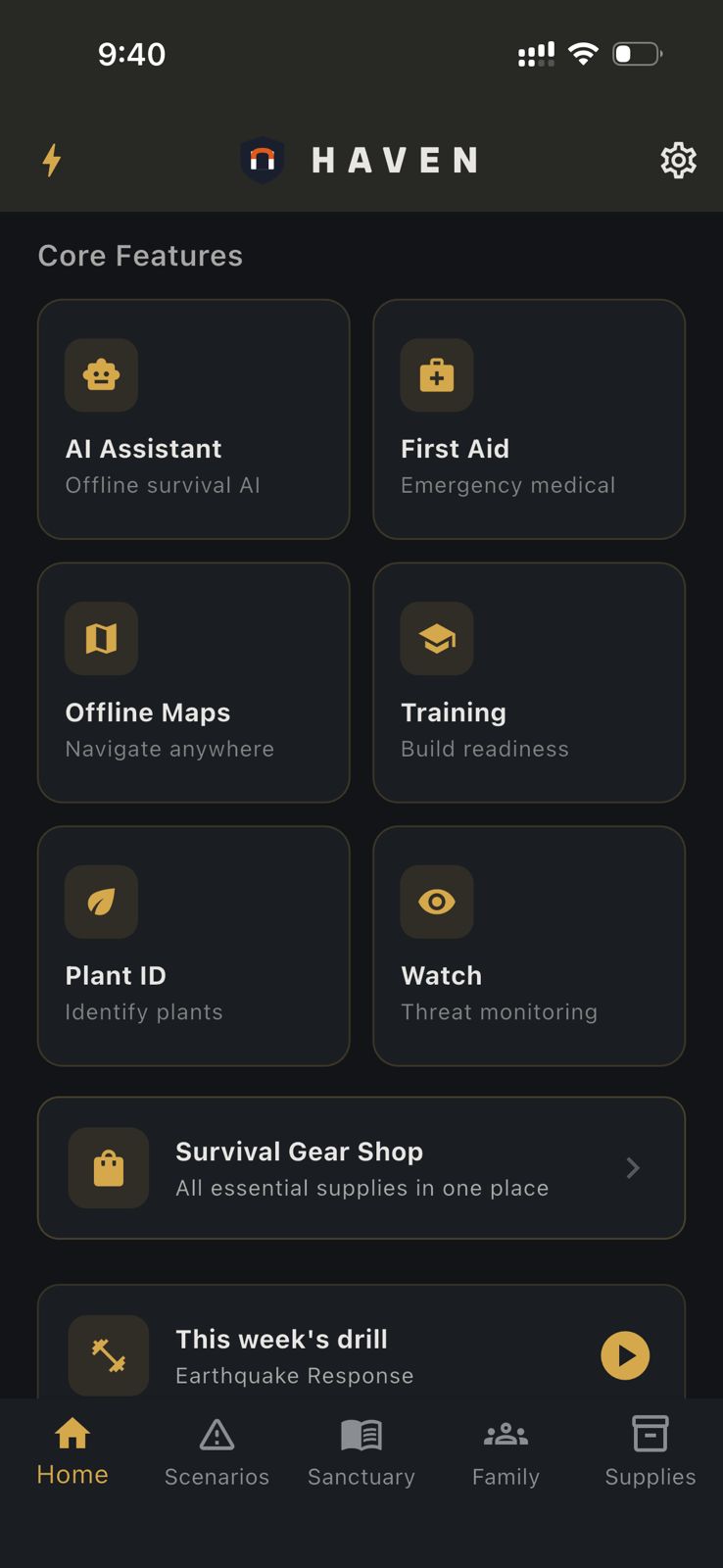
HAVEN uses OpenStreetMap-based tiles that you download by region. The key difference: HAVEN's maps include points of interest specifically useful when you're on your own: water sources, medical facilities, shelters, and evacuation routes. These POIs matter when you're in a remote area and need to find help, not just a restaurant.
General advice: Download maps for your entire route, not just your destination. The stretch of highway between the airport and the lodge is where you're most likely to need navigation and least likely to have signal.
Step 2: Set Up an Offline AI Assistant
This is the one most travelers don't think about until they need it. You're in an unfamiliar place. You ate something that's making you sick. You found a rash on your arm. You need to know if the water from that stream is safe. You want to ask about local customs.
With internet, you'd Google it. Without internet, you need a local AI.
HAVEN runs large language models directly on your phone. Download a model on hotel Wi-Fi (the smallest is under 1 GB), and you have an AI assistant that works offline forever. Ask it about first aid, water safety, local wildlife, cooking, navigation, or anything else. It processes your question on your device. No data is transmitted.
Practical tip: Download a model before your trip while you're on fast Wi-Fi. A 1-3 GB model takes a few minutes to download and provides solid answers for general knowledge questions.
Step 3: Know How to Handle Medical Situations Offline
Food poisoning. Insect bites. Cuts from coral. Altitude sickness. Heat exhaustion. These are common travel problems, and they usually happen in places where you can't just Google the symptoms.
General preparation:
- Carry a basic first aid kit (antiseptic, bandages, anti-diarrheal, antihistamine, pain relievers, rehydration salts)
- Know the address and location of the nearest hospital or clinic at each stop on your trip
- Save medical phrases in the local language (write them down, don't depend on an app)
On your phone: HAVEN includes medical reference content and an AI that can walk you through first aid step by step. "I was stung by something and the area is swelling and turning red. What should I do?" You get practical guidance immediately, without needing signal.
Step 4: Identify What You're Looking At
Traveling often puts you face-to-face with unfamiliar plants, fruits, and vegetation. A market vendor hands you a fruit you've never seen. You're hiking and wondering if those berries are safe. A plant is causing a rash and you want to know what it is.
HAVEN's Plant ID uses on-device machine learning to identify plants from photos. Point your camera, get an identification, and learn whether it's safe, toxic, medicinal, or edible. No internet needed. Works anywhere.
Beyond plants: If your device has enough RAM (10 GB+), HAVEN's Environment Scan uses Gemma 4 vision AI to analyze entire scenes: terrain type, hazards, water sources, vegetation patterns. Useful when you're hiking in unfamiliar territory and want to understand what you're looking at.
Step 5: Keep Your Family Connected
The anxiety of traveling without signal isn't just your own. Your family at home worries when they can't reach you. And if you're traveling with a group, getting separated in a place without cell service is genuinely stressful.
Before your trip:
- Set up meeting points for each location you're visiting ("If we get separated at the market, meet at the fountain by the east entrance")
- Designate an out-of-area contact everyone can check in with when they find Wi-Fi
- Share your itinerary with someone who isn't on the trip
HAVEN's family tools:
- Meeting points: Designate primary and secondary meetup locations that everyone in your group can see in the app
- Emergency contacts: Store important numbers that are accessible without internet
- Bluetooth mesh chat: If your group has HAVEN installed, you can communicate device-to-device via Bluetooth when you're within range, no cell towers or Wi-Fi needed
Step 6: Manage Your Battery
A dead phone in a remote area isn't just inconvenient. It's a safety issue. Your maps, AI, first aid reference, and communication tools all require a charged phone.
General battery tips for travel:
- Turn on airplane mode when you don't need signal (stops the radio from draining battery searching for towers)
- Reduce screen brightness
- Close background apps
- Carry a power bank (10,000+ mAh for a full day, 20,000+ mAh for multi-day trips)
- Know where you can charge: cafes, hostels, vehicles, solar chargers
HAVEN's power management monitors your battery level and provides prioritization guidance: what to turn off first, how to extend remaining battery for the functions that matter most.
Step 7: Download Reading Material
Long bus rides, ferry crossings, and evenings in places without Wi-Fi are a lot more pleasant with something to read.
HAVEN's library lets you import PDF, EPUB, TXT, and DOCX files. Load it with travel guides, language references, or books you've been meaning to read. Everything is stored locally and readable offline. Bookmarks let you pick up where you left off.
If you load reference material (a guidebook, a phrase book, a medical reference), HAVEN's Ask The Books feature lets you search across all your imported documents with AI. "What did the guidebook say about customs at temples?" It finds the relevant passages and gives you a sourced answer.
Before You Leave: The Checklist
1. Download offline maps for your entire route (HAVEN and/or Google Maps)
2. Download an AI model in HAVEN (1-3 GB, takes a few minutes on Wi-Fi)
3. Import any travel guides, phrase books, or reference material into HAVEN's library
4. Set up meeting points for each destination
5. Store emergency contacts and the address of local hospitals/clinics
6. Charge your power bank
7. Save important phrases in the local language (on paper, not just in an app)
8. Tell someone your itinerary
HAVEN's Travel-Ready Features
Most of what's described above is available in HAVEN's free tier:
- 15 AI messages per day (unlimited with Pro, $24.99 one-time)
- 1 offline map region (multi-region with Pro)
- Sacred texts and built-in books always available
- Plant ID and Environment Scan require Pro
No account needed. No data collected. Download it, set it up on Wi-Fi, and your phone works when signal doesn't.
Ready to get prepared?
Carry on-device AI advice, offline topographic maps, and 12 printable field manuals on your phone with zero cell signal needed.