Why Offline-First Apps Are Critical for Emergency Preparedness
When the internet goes down, so do most apps. Here's why offline-first design is essential for survival tools.

We take internet connectivity for granted. Our maps, communication, banking, and even flashlight apps assume a constant connection. But in the exact moments we need these tools most, natural disasters, infrastructure collapse, conflict zones, connectivity is the first thing to fail.
The Connectivity Illusion
Consider what happens in a major earthquake:
- Cell towers are damaged or overloaded within minutes
- Power outages kill Wi-Fi and wired internet
- Emergency services communication is prioritized, further congesting networks
- Cloud-based apps become useless screens
The 2021 Texas winter storm left millions without power and internet for days. Hurricane Maria knocked out 95% of Puerto Rico's cell towers. The 2023 Maui fires destroyed communication infrastructure entirely in affected areas.
What "Offline-First" Really Means
An offline-first app is designed to function completely without internet from the ground up, not as a degraded fallback mode, but as the primary operating state. This means:
- Data stored locally: All content, guides, and reference material live on your device
- On-device processing: AI, search, and computation happen on your phone's processor
- No server dependency: The app doesn't call home, check licenses, or validate tokens online
- Pre-downloaded assets: Maps, books, and models are downloaded proactively before a crisis
Why This Matters for Survival
When you're evaluating survival and preparedness tools, ask these questions:
1. Does this work if I put my phone in airplane mode?
2. Can I access all the content I've saved without internet?
3. Does the AI/search function work offline?
4. Are maps available without cell service?
If any answer is "no," that tool will fail you when you need it most.
The HAVEN Approach
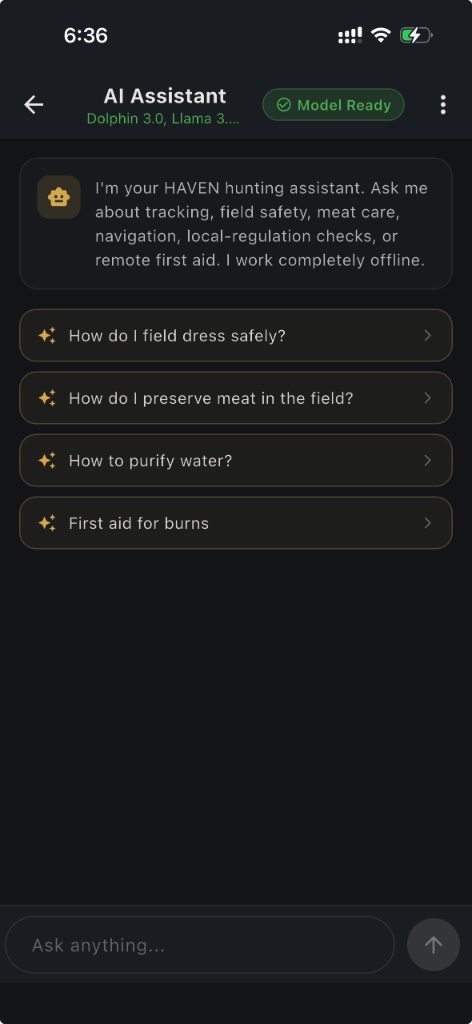
HAVEN was built offline-first from day one. The AI assistant uses on-device language models (Llama 3.2 or Qwen 2.5). Maps use locally stored OpenStreetMap tiles. Books and guides are stored in local encrypted storage. Family communication uses Bluetooth mesh. Nothing requires a server.
The only HAVEN feature that requires internet is Watch (real-time threat monitoring), which is a separate subscription explicitly for server-driven live data. Every other feature works in airplane mode, in a Faraday cage, or in a bunker.
The Future of Emergency Tech
We believe offline-first design will become the standard for critical applications. As climate events intensify and geopolitical tensions persist, the apps that work when infrastructure fails will be the ones that matter.
FAQ
Q: What does offline-first mean?
A: The app is engineered to run fully without internet as its normal state: local data, on-device processing, and no mandatory server calls for core features.
Q: Why do cloud survival apps fail in disasters?
A: Cell and fiber outages are common; cloud apps cannot fetch content, authenticate, or stream AI when networks are saturated or destroyed.
Q: Does HAVEN have any online-only features?
A: HAVEN Watch live monitoring is explicitly online. All other core preparedness features are designed for airplane mode.
Q: How do I test if an app is truly offline?
A: Enable airplane mode and verify maps, guides, AI chat, and search still work after a cold start.
Ready to get prepared?
Carry on-device AI advice, offline topographic maps, and 12 printable field manuals on your phone with zero cell signal needed.