Environment Scan: AI-Powered Terrain Analysis for Wilderness Survival
HAVEN's Environment Scan uses Gemma 4 vision AI running on-device to analyze terrain, identify hazards, find water and shelter, and assess survival priorities from a single photo, with zero cloud uploads.
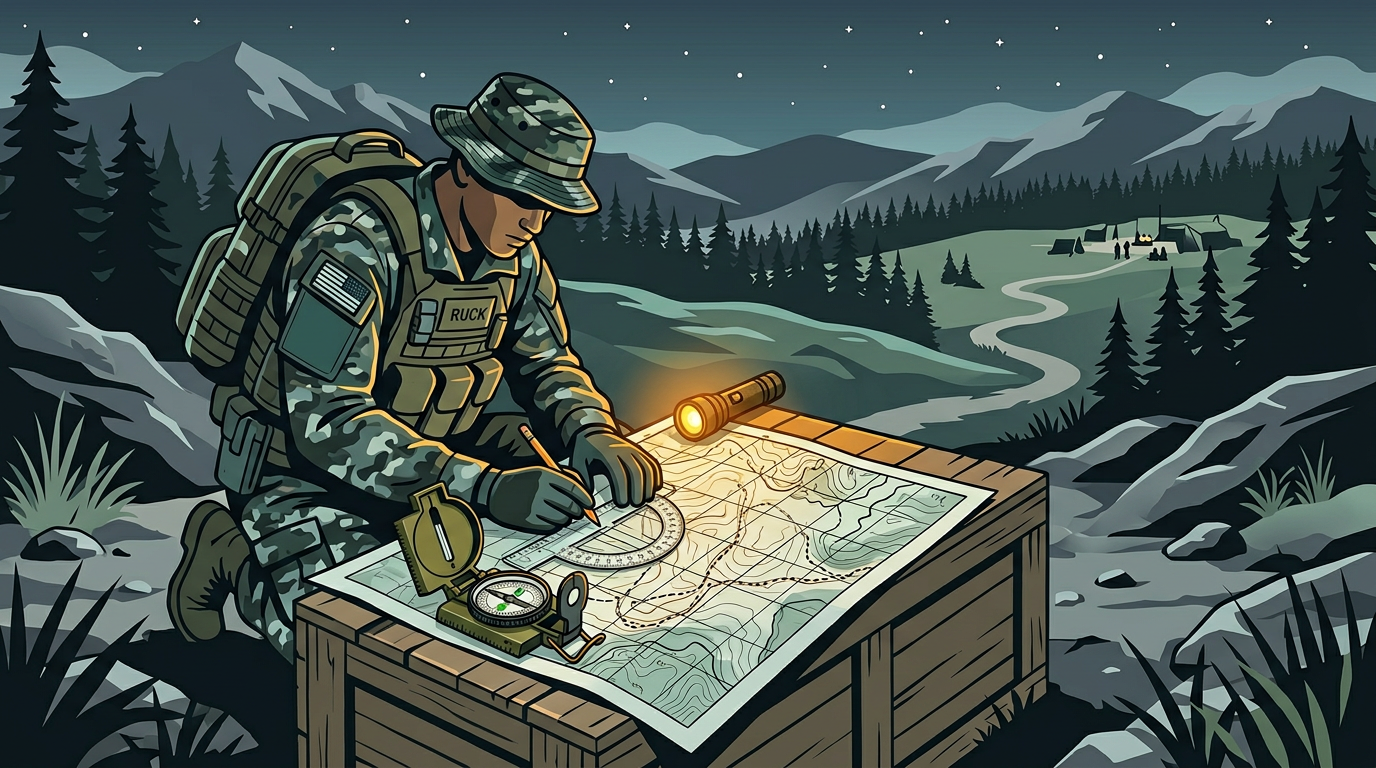
You're in unfamiliar terrain. Maybe you evacuated to a rural area. Maybe you're lost on a hike. Maybe the grid went down and you need to find water, shelter, or safe passage through an area you've never navigated before. You can see the landscape, but you don't know what you're looking at from a survival perspective.
HAVEN's Environment Scan solves this. Point your camera at the terrain around you, and the on-device AI analyzes the scene and tells you what matters for survival: hazards, water sources, shelter opportunities, edible plants, terrain type, and immediate priorities.
How Environment Scan Works
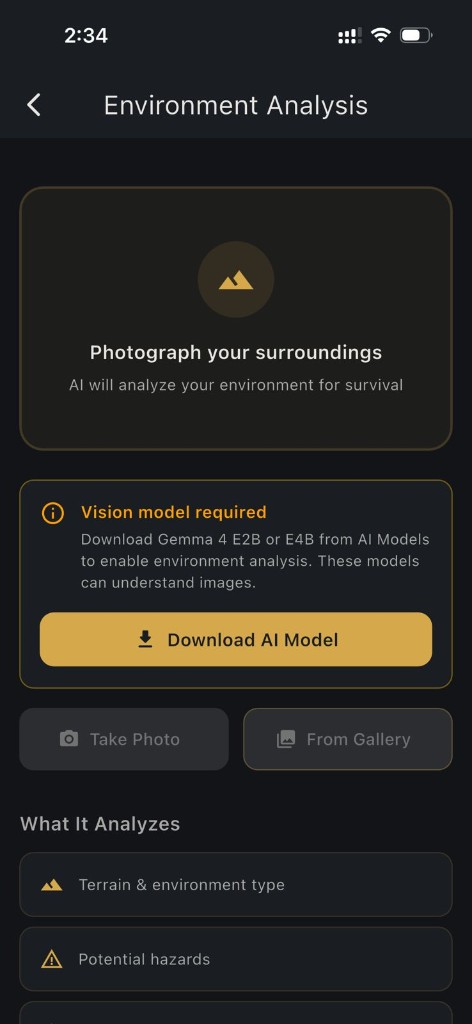
1. Open HAVEN and navigate to Environment Scan (Pro feature)
2. Take a photo using your camera or select one from your gallery
3. The on-device AI model analyzes the image using a vision-capable large language model running locally on your phone
4. Receive a structured survival assessment covering terrain, hazards, water, shelter, foraging, and priority actions
5. Continue into AI chat with full context from your scan for deeper survival guidance
The entire process happens on your device. Your photo never leaves your phone. There's no cloud upload, no server processing, no internet requirement after the AI model is downloaded.
What the AI Analyzes
When you scan an environment, the AI evaluates the scene across multiple survival dimensions:
Terrain Type and Conditions
The AI identifies the environment category: forest, desert, coastal, alpine, urban, tundra, wetland, or mixed terrain. It describes ground conditions, elevation indicators, vegetation density, and seasonal context visible in the image.
Hazards and Threats
The AI flags visible dangers:
- Terrain hazards: Steep drops, unstable ground, flood-prone areas, rockfall zones
- Water hazards: Swift currents, stagnant water, tidal zones
- Wildlife indicators: Animal trails, nesting areas, predator territory signs
- Weather exposure: Wind exposure, sun exposure, cold exposure risk
- Human-made hazards: Structural collapse risk, contaminated areas, restricted zones
Water Source Assessment
Water is the first survival priority. The AI looks for:
- Visible water sources (streams, rivers, ponds, snowpack)
- Indicators of nearby water (vegetation patterns, terrain drainage)
- Water quality concerns (stagnation, contamination risk, treatment recommendations)
- Collection and purification guidance based on what's available in the scene
Shelter Opportunities
The AI identifies natural and improvable shelter options:
- Rock overhangs, caves, dense tree cover
- Wind-protected areas, elevated dry ground
- Materials available for shelter construction (branches, leaves, rocks)
- Proximity to hazards that would make a location unsuitable
Foraging and Plant Assessment
Building on HAVEN's plant identification capabilities:
- Vegetation types visible in the scene
- Potential edible plant indicators
- Medicinal plant possibilities
- Plants to avoid (toxic species indicators)
Survival Priority Assessment
The AI synthesizes everything into actionable priorities:
- Immediate actions to take based on the environment
- Resource gathering sequence (water, shelter, fire, food)
- Movement recommendations (stay put vs. navigate to a better location)
- Risks to monitor as conditions change
From Scan to Survival Chat
After the Environment Scan completes, you can hand off the entire analysis to HAVEN's AI chat. The chat session opens pre-loaded with your environment context, so you can ask follow-up questions:
- "What's the best shelter I can build with the materials visible in my scan?"
- "How do I purify water from the stream in my photo?"
- "What are the edible plants I should look for in this forest type?"
- "How should I signal for rescue from this terrain?"
The AI already knows your environment, so every answer is contextualized. You're not asking generic survival questions: you're asking about your specific situation.
Why On-Device AI Matters for This Feature
There are apps that can analyze images using cloud AI. They require internet. In a survival situation, internet is the first thing you lose.
HAVEN's Environment Scan is powered by Google's Gemma 4, the latest multimodal AI model that runs directly on your phone. HAVEN offers two Gemma 4 variants:
- Gemma 4 E2B (~1.3 GB download + 200 MB vision projector): The compact option. Requires a device with 10 GB+ RAM. The vision projector adds significant memory overhead beyond the model file size, so devices with 8 GB or less won't have enough headroom.
- Gemma 4 E4B (~2.5 GB download + 200 MB vision projector): The higher-quality option. Requires 12 GB+ RAM. More detailed and nuanced terrain assessments for flagship devices.
Both models include a vision projector, a specialized component that lets the AI understand images, not just text. This is what separates Gemma 4 from text-only models like Llama 3.2 or Qwen 2.5.
Once downloaded, the model runs entirely locally:
- No internet required: Works in the backcountry, in a blackout, in any offline scenario
- No cloud upload: Your location photos never leave your device, which matters for privacy and operational security
- No usage limits: Scan as many environments as you need, no API costs, no rate limiting
- Fast analysis: Local processing means no waiting for server responses
The app will prompt you to download Gemma 4 E2B or E4B when you first open Environment Scan.
Real-World Use Cases
Evacuation to Unfamiliar Territory
A wildfire forces your family to evacuate. You end up at a campground 100 miles from home. The area is crowded, and you decide to move to a less populated area. You scan the terrain at your new location. The AI identifies a water source 200 yards downhill, notes that the tree cover provides wind protection from the northwest, flags a steep ravine 50 yards east as a hazard, and recommends setting up camp on the elevated clearing to your left.
Hiking Emergency
You're on a backcountry trail and your companion injures an ankle. You need to stay overnight. You scan the surroundings. The AI identifies a rock overhang that provides rain shelter, spots what appears to be a seasonal stream bed that may have water if you follow it downhill, and notes that the area has good natural materials for insulation and fire. It recommends staying put rather than navigating the steep terrain ahead with an injured person.
Post-Disaster Urban Assessment
After a major earthquake, you need to move through an urban area to reach your family's meeting point. You scan the route ahead. The AI flags structural damage that makes certain buildings collapse risks, identifies a water main break that's creating flooding, and notes safer passage routes visible in the scene.
Wilderness Foraging
You're in a long-term grid-down situation and need to supplement your food supply. You scan a meadow near your camp. The AI identifies several plant types, noting which match patterns for known edible species and which you should avoid. It recommends you cross-reference with HAVEN's Plant ID for confirmation before consuming anything.
Environment Scan vs. Plant ID
HAVEN has two camera-based AI features, and they complement each other:
| Feature | Purpose | Scope |
|---|---|---|
| Plant ID | Identify a specific plant species | Single plant, close-up photo, TensorFlow Lite classification |
| Environment Scan | Analyze an entire environment for survival | Wide-angle scene, terrain, hazards, water, shelter, foraging, and priorities |
Use Plant ID when you're looking at a specific plant and need to know if it's safe. Use Environment Scan when you need to understand an entire area from a survival perspective.
Requirements
- HAVEN Pro ($24.99, one-time purchase)
- Gemma 4 E2B (10 GB+ RAM devices) or Gemma 4 E4B (12 GB+ RAM devices) downloaded through HAVEN's AI Models section
- Camera or photo gallery access
- No internet required after model download
Getting Started
1. Upgrade to HAVEN Pro if you haven't already
2. Open the AI Models section and download Gemma 4 E2B or E4B (the app marks these as vision-capable)
3. Navigate to Environment Scan from the home screen
4. Take a photo of your surroundings or select one from your gallery
5. Review the analysis and optionally continue into chat for deeper guidance
Environment Scan turns your phone's camera into a survival assessment tool. In a world where AI typically requires cloud servers and constant connectivity, HAVEN puts the intelligence directly on your device, available exactly when you need it most: when you're offline, off-grid, and on your own.
Ready to get prepared?
Carry on-device AI advice, offline topographic maps, and 12 printable field manuals on your phone with zero cell signal needed.