Best Emergency Apps for iPhone & Android (2026): Free, Offline & Tested
The best emergency apps for iPhone and Android in 2026, grouped by job: alerts, first aid, communication without signal, offline maps and family location. We show which ones still work when the internet and cell network go down.

Most "best emergency apps" lists were written years ago and quietly assume one thing: that your phone still has signal. In a real emergency, that is the first thing to go. Hurricanes knock out towers, winter storms take down power for days, and even when the network is up, it is often too congested to load anything.
So we grouped the apps by the job they do in an emergency, and we checked one thing for each: does it still work in Airplane Mode? Some of the best apps on this list need the internet, and that is fine, as long as you know it before the storm and not during it.
Quick answer: Every phone should have five things set up before an emergency: official alerts (built-in Wireless Emergency Alerts plus the FEMA or Red Cross app), a first aid guide that works offline, a way to message without signal, offline maps, and your Medical ID. If you only install one app that covers most of this offline, make it HAVEN, which runs its AI assistant, first aid, maps, and family mesh messaging with no internet at all.
The best emergency apps at a glance (2026)
Swipe sideways to compare columns
| App | What it is for | Works offline? | iPhone & Android | Cost |
|---|---|---|---|---|
HAVENDownload Free | All-in-one: offline AI, first aid, maps, family mesh, supplies | Yes, fully on-device | Both | Free · Pro $29.99 once |
| FEMA app | Official weather alerts, shelters, disaster resources | No, alerts need data | Both | Free |
| Red Cross First Aid | Step-by-step first aid | Yes, content is preloaded | Both | Free |
| Zello | Walkie-talkie style voice channels | No, needs data or Wi-Fi | Both | Free |
| Bridgefy | Text messaging over Bluetooth | Yes, phone to phone | Both | Free |
| Organic Maps / OsmAnd | Offline navigation | Yes, after you download a region | Both | Free |
| Life360 | Family location sharing | No, needs data | Both | Free · paid tiers |
| Satellite SOS (built in) | Text emergency services with no cell signal | Yes, via satellite | Newer iPhone & some Android | Built in |
How we picked these emergency apps
We installed each app, set it up the way a normal family would, then switched the phone to Airplane Mode with Wi-Fi off and tried to use it. We scored apps on five things:
- Offline function: what still works with no internet and no cell signal.
- Speed under stress: how many taps it takes to reach the thing you need.
- Trust: whether the information comes from an official or medical source.
- Cost: what is free, and what is behind a subscription.
- Platform: whether it works the same on iPhone and Android.
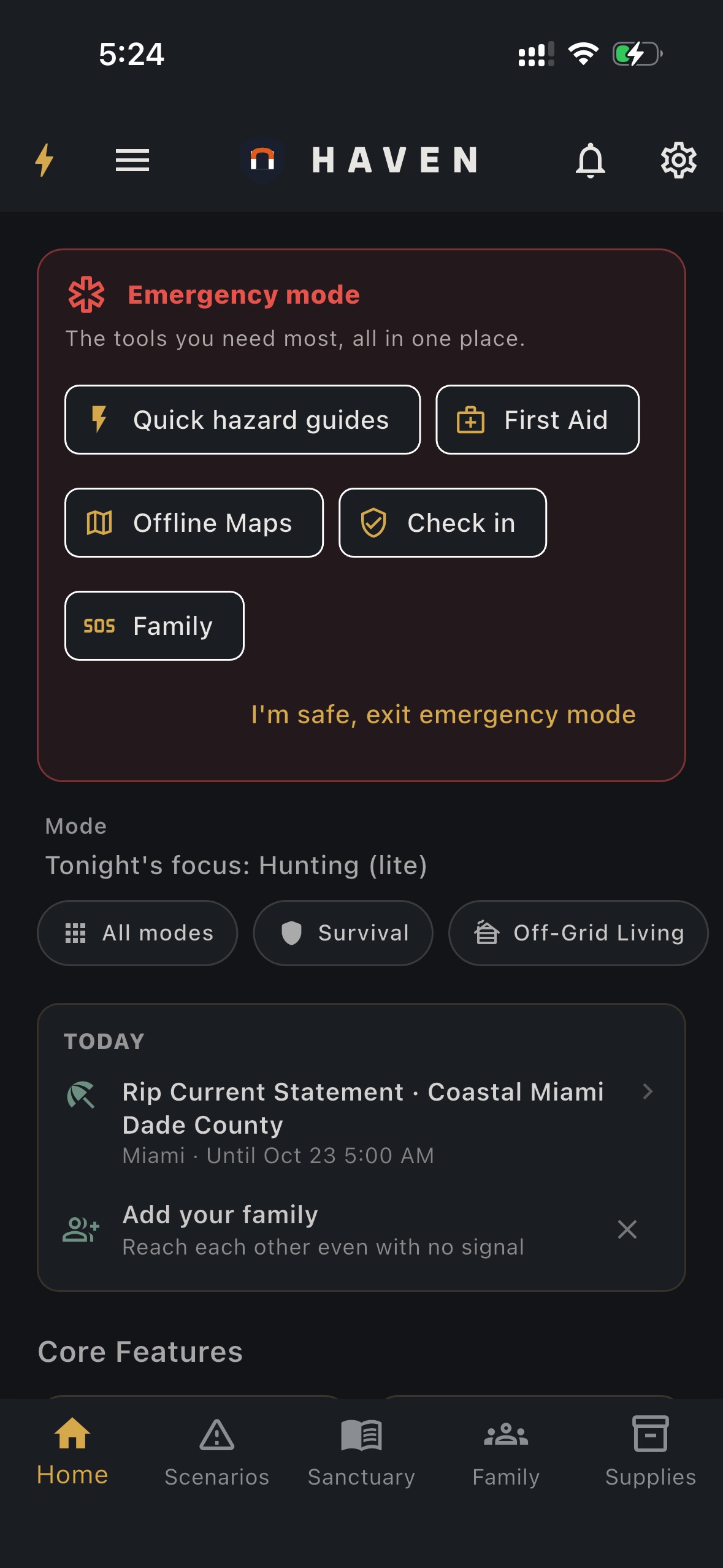
1. HAVEN: Best all-in-one emergency app that works offline
Platform: iPhone and Android
Price: Free core app · Pro $29.99 one-time · Pro Family $49.99 one-time (up to 5 people)
Works offline: Yes. Every core feature runs on your phone.
Most emergency apps do one thing and need the internet to do it. HAVEN was built for the opposite case: the moment the network is gone. It replaces four or five single-purpose apps with one that keeps working in Airplane Mode.
- Offline AI assistant: ask "how do I treat a burn" or "how do I make water safe to drink" and get step-by-step answers from an AI model that runs on your phone, not on a server. You download the model once on Wi-Fi, and after that it works with no connection.
- Emergency scenarios: guided plans for earthquakes, floods, tsunamis, pandemics, infrastructure collapse and grid-down, nuclear events and more, with what to do before, during and after.
- First aid and survival library: offline medical and survival references, including Where There Is No Doctor, free on every plan.
- Offline maps: downloadable map packs with shelters, water, medical and fuel points, plus elevation shading to find higher ground in a flood.
- Family mesh messaging: text nearby family members over Bluetooth when cell towers are down. HAVEN phones can relay messages to reach farther.
- SOS and location sharing: one-tap SOS live location and timed trip sharing are free.
- Supplies tracker: log your water, food and medicine with expiry reminders so your kit is ready when you need it.
Crisis Unlock: during a declared national emergency, HAVEN unlocks Pro features for everyone at no charge.
Want live alerts too? The core app is fully offline. If you also want real-time earthquake, severe weather, wildfire and conflict alerts for the places you care about, the optional HAVEN Watch subscription adds them (it needs internet, like any live alert service). Read what HAVEN Watch does.
Best for: families who want one app that still works when everything else has stopped. Download HAVEN free.
2. FEMA app: Best for official alerts (US)
Platform: iPhone and Android
Price: Free
Works offline: No. Alerts and shelter information need a data connection.
The FEMA app sends National Weather Service alerts for up to five locations, so you can follow your home, your kids' school and your parents' town at once. It also has disaster safety tips, an emergency kit checklist, and open shelter and disaster recovery center information.
Limitations: It is a US-only app built around live data. Once the network goes down, the alerts stop. Use it to get warned early, then rely on offline tools.
Best for: getting the earliest official warning in the US.
3. Red Cross First Aid: Best free first aid app
Platform: iPhone and Android
Price: Free
Works offline: Yes. The guidance is stored on the phone.
Clear, step-by-step instructions for common emergencies like bleeding, burns, choking, broken bones and heart attack, with videos and quizzes. Because the content is preloaded, it still works with no signal. The Red Cross also offers a separate Emergency app for weather alerts, which does need data.
Limitations: First aid only. No maps, no messaging, no planning tools, and you can't ask it a question about your specific situation.
Best for: a trusted first aid reference on every family phone.
4. Zello: Best walkie-talkie app (when there is some internet)
Platform: iPhone and Android
Price: Free
Works offline: No. It needs mobile data or Wi-Fi.
Zello turns your phone into a push-to-talk radio with public and private channels. Volunteer rescue groups used it heavily during US hurricanes because voice works even on a weak, patchy data connection.
Limitations: It is not an offline app. If both cell data and Wi-Fi are gone, Zello is silent. Many people install it expecting walkie-talkie behaviour without internet, and that is the most common mistake on this list.
Best for: coordinating with neighbours or volunteer groups while some data is still available.
5. Bridgefy: Best for messaging with no internet
Platform: iPhone and Android
Price: Free
Works offline: Yes, over Bluetooth, phone to phone.
Bridgefy sends text messages to nearby phones over Bluetooth, and messages can hop between phones that have the app. It became known during protests and large events where the network was overloaded.
Limitations: Everyone needs the app installed ahead of time, and range depends on how many other users are nearby. It is a messaging tool only. HAVEN's family mesh does the same job for your household, alongside the rest of your emergency plan.
Best for: texting people nearby when the network is down or overloaded.
6. Organic Maps and OsmAnd: Best offline maps
Platform: iPhone and Android
Price: Free (OsmAnd has paid extras)
Works offline: Yes, once you download your region.
Both apps use OpenStreetMap data and give you full navigation, search and routing with no signal. Organic Maps is simpler. OsmAnd has more layers, like contour lines and hiking trails.
Limitations: You must download maps before you need them. Neither app shows shelters, evacuation planning or emergency guidance. For a full comparison, see our best offline survival maps guide.
Best for: getting around when Google Maps and Apple Maps can't load.
7. Life360: Best for family location (with signal)
Platform: iPhone and Android
Price: Free, with paid tiers for crash detection and more history
Works offline: No. Locations update over the internet.
Life360 shows where everyone in your family is on one map, with arrival alerts and an SOS button on paid plans. It is the most popular family location app for good reason.
Limitations: When data is down, you see everyone's last known location, not where they are now. Plan a meeting point anyway, and keep a way to reach family without signal.
Best for: everyday family check-ins, and the first hours of an emergency while networks hold.
The emergency features already on your phone
Before installing anything, switch on the tools your phone already has. They are free and some of them work without signal.
On iPhone
- Emergency SOS via satellite: on iPhone 14 and later in supported countries, you can text emergency services when you have no cell or Wi-Fi signal. Try the demo in Settings so you know how to aim the phone.
- Medical ID: in the Health app, add allergies, medicines, blood type and emergency contacts, and turn on "Show When Locked" so first responders can see it.
- Emergency SOS: press and hold the side button and a volume button to call emergency services and alert your contacts.
- Emergency alerts: check Settings, Notifications, and make sure Government Alerts are on.
On Android
- Satellite SOS: newer Pixel and some Samsung Galaxy phones can text emergency services by satellite in supported regions.
- Emergency information: add medical details and contacts in the Safety app or in Settings under Safety and emergency, so they show on the lock screen.
- Emergency SOS: press the power button five times to call for help and share your location.
- Wireless emergency alerts: search Settings for "Wireless emergency alerts" and keep extreme and severe alerts on.
- Earthquake alerts: Android's earthquake alert system can warn you seconds before shaking starts. Check it is turned on in Safety and emergency settings.
Best emergency apps for a power outage
A power outage is the emergency most people will actually face this winter. When the power is out, cell towers often keep running on backup batteries for a few hours, then go quiet. Your phone battery becomes your most limited resource.
- Keep: offline first aid, offline maps, a flashlight, and one app with your emergency plan and contacts that opens without internet.
- Turn on Low Power Mode (iPhone) or Battery Saver (Android) as soon as the power goes out.
- Download before the storm: map regions, first aid guides, and any AI models or reference books you want.
- Close the live apps: news, social and weather apps drain battery trying to reach a network that isn't there.
HAVEN's Infrastructure Collapse scenario walks you through a long grid-down outage step by step, and the whole app runs in Airplane Mode to save battery. Our extended power outage survival guide covers the rest of your plan.
The emergency apps checklist: set up your phone in 15 minutes
Do this tonight, while you still have power and Wi-Fi:
- Turn on government and emergency alerts in your phone settings.
- Fill in your Medical ID or Emergency information.
- Install an alerts app (FEMA in the US, or your country or county app).
- Install an offline emergency app, download its AI model or guides on Wi-Fi, then open it once in Airplane Mode to check it works.
- Download offline maps for your home area and your evacuation route.
- Agree a family meeting point and make sure everyone has the same messaging app that works without signal.
- Charge a power bank and keep it with your emergency kit.
Want this on paper too? Grab our free printable survival guide PDFs, and see our full emergency supply checklist for the physical side of your kit.
Which emergency app should you download first?
If your phone already has alerts turned on, the biggest gap for most people is what happens after the signal goes. Alerts tell you something is coming. They can't tell you how to stop bleeding, where higher ground is, or how to reach your kids when the towers are down.
That is the gap HAVEN fills. One download gives you offline AI answers, first aid, emergency scenarios, offline maps, family mesh messaging and a supplies tracker, all working with no internet.
Download HAVEN free on iPhone and Android. The free plan includes core emergency features with no account needed. HAVEN Pro unlocks everything for a one-time $29.99, with a 7-day free trial, and Pro Family covers up to five people for $49.99 once. No monthly subscription required.
Comparing survival-focused apps instead? Read our best offline survival apps tested in Airplane Mode.
---
HAVEN is a product of Primecode LLC. App features and prices for third-party apps can change, so check the app store listing before you rely on one. In a life-threatening emergency, always call your local emergency number first.
FAQ
Q: What emergency apps should everyone have on their phone?
A: At minimum: your phone's built-in emergency alerts and Medical ID, an official alerts app such as FEMA in the US, an offline first aid guide, offline maps, and a way to message family without cell signal. HAVEN covers first aid, maps, mesh messaging and emergency plans offline in one app.
Q: What is the best free emergency app?
A: For alerts in the US, the FEMA app is free and official. For first aid, Red Cross First Aid is free and works offline. HAVEN has a free plan that includes offline emergency guidance, first aid references, maps and family mesh messaging.
Q: Which emergency apps work without internet?
A: HAVEN, Red Cross First Aid, Bridgefy, Organic Maps and OsmAnd all work offline once set up. FEMA, Zello and Life360 need a data connection. Satellite SOS on newer iPhones and some Android phones works with no cell signal.
Q: What is the best emergency app for iPhone?
A: Turn on Emergency SOS via satellite and Medical ID first, then add the FEMA app for alerts and HAVEN for offline AI guidance, first aid, maps and family mesh messaging.
Q: What is the best emergency app for Android?
A: Turn on Wireless emergency alerts, earthquake alerts and Emergency information first. Then add an alerts app for your area and HAVEN for offline emergency guidance, maps and Bluetooth mesh messaging.
Q: Can I text family during a power outage with no cell service?
A: Yes, if you set it up in advance. Bluetooth mesh apps like HAVEN and Bridgefy let nearby phones message each other with no cell signal or internet, as long as everyone has the app installed.
Q: How much does HAVEN cost?
A: The core app is free. Pro is a one-time $29.99 and Pro Family is a one-time $49.99 for up to five people, with a 7-day free trial. Optional live alerts through HAVEN Watch are a separate subscription.
Ready to get prepared?
Carry on-device AI advice, offline topographic maps, and 12 printable field manuals on your phone with zero cell signal needed.